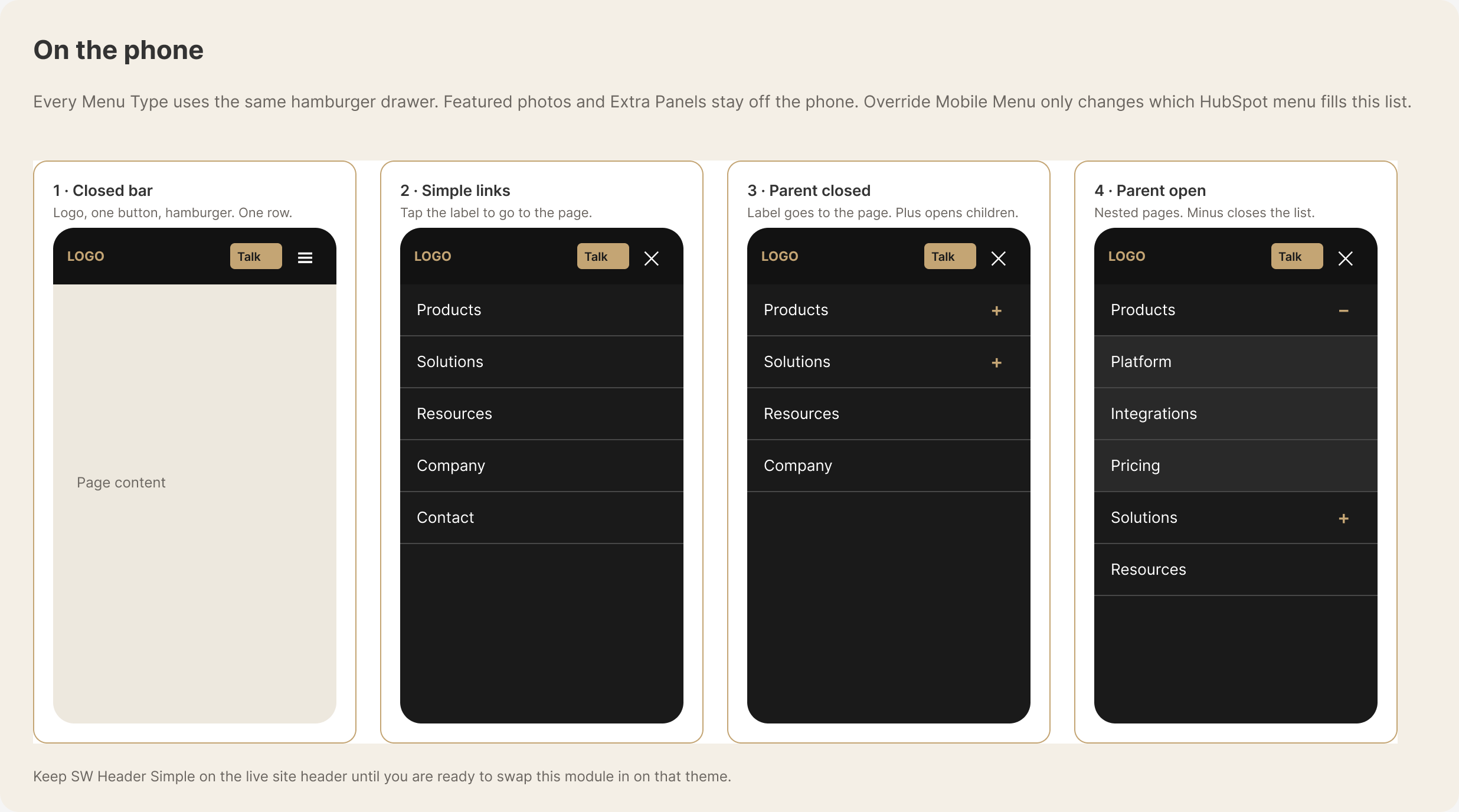
On phones, every Menu Type uses the same mobile hamburger menu. Featured images and Extra Panels stay hidden so visitors get a simpler list of HubSpot menu items. Override Mobile Menu changes which HubSpot menu appears in that list; it does not add the desktop panels or images.
View the mobile menu example. It shows these four states:
- Closed bar: Logo, one button, and the hamburger control.
- Simple link: Tapping the label opens the linked page.
- Closed parent item: The label opens its page, while the plus reveals child pages.
- Open parent item: Child pages are visible, and the minus closes the group.