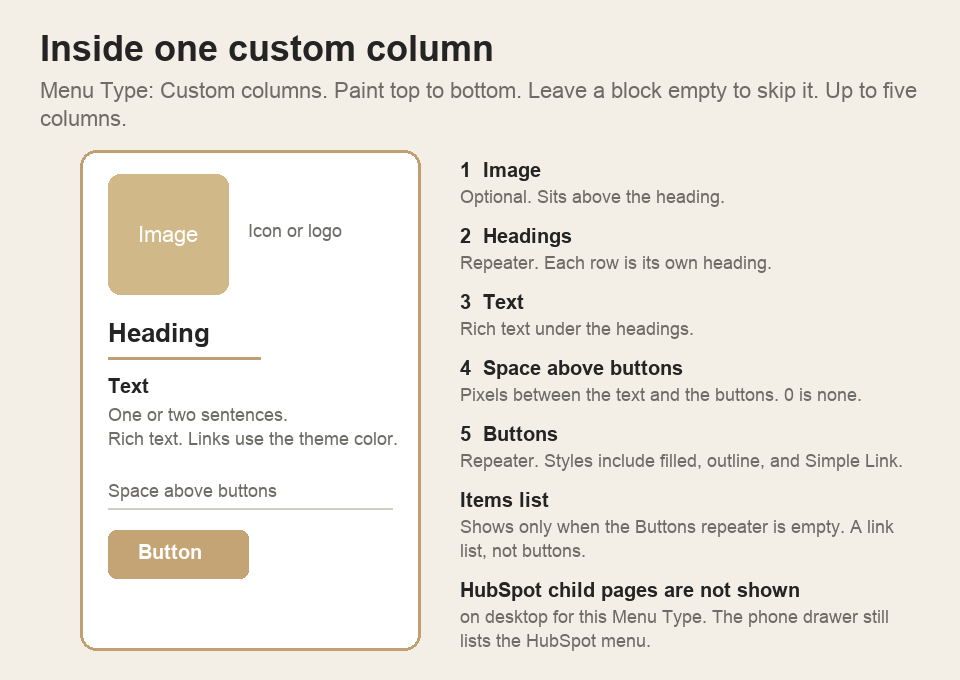
On Menu Type: Custom columns, each column paints top to bottom. Leave a block empty to skip it. You can add up to five columns. The same shape is on Mega Panels and Extra Panels.
- Image — optional icon or logo above the heading.
- Headings — each row is its own heading. An empty Headings repeater prints nothing.
- Text — rich text under the headings. Links use the theme link color.
- Space above buttons — pixels between the text and the buttons. 0 is none.
- Buttons — filled, outline, gradient, or Simple Link. The icon stays on the same line as the label.
The Items list shows only when the Buttons repeater is empty. Adding a button replaces that list. HubSpot child pages are not shown on desktop for this Menu Type. The phone drawer still lists the HubSpot menu.