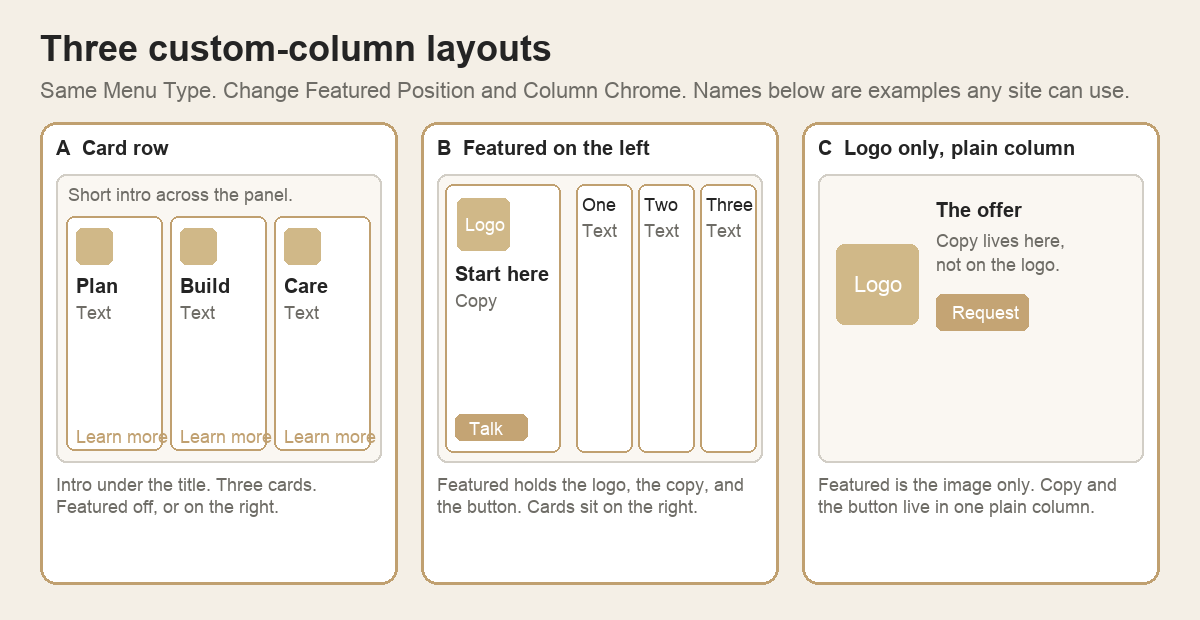
Menu Type stays Custom columns. Change Featured Position and Column Chrome. The names in the diagram are examples any site can use.
- Card row. A short intro under the title. Three or more columns with Column Chrome Card (icon, heading, text, Simple Link). Featured off, or on the right.
- Featured on the left. Featured holds the logo, the heading, the text, and the button. Card columns sit on the right. Featured Position Left.
- Logo only, plain column. Featured is the image only. Image Fit Contain, scale under 100. The heading, text, and button live in one column with Column Chrome Plain.